How To Download Inline Editor Redmine Plugin for Free
Edit Redmine issues directly from the issue list — no page reloads, no lost context. The Inline Editor Plugin lets your team update fields, statuses, and assignees in one click, right where they work. Completely free on any Redmine instance.
Get started in 3 simple steps
- 1Register to Redmineflux
Complete the registration process by entering your details in the sign-up form and submit it. Once submitted, you will receive an email.
- 2Email Verification and Download Zip File
Check your email (in inbox, spam, and others), verify your account, and then proceed to download the provided zip file.
- 3Install Plugin in Your Redmine Environment
Add the Inline Editor Plugin into your Redmine environment and leverage the full power of our plugin for free.
Register for Inline Editor Plugin — Free
Fill in the form and we’ll email you the download link within minutes.
Redmine Inline Editor – edit issues without leaving your view.
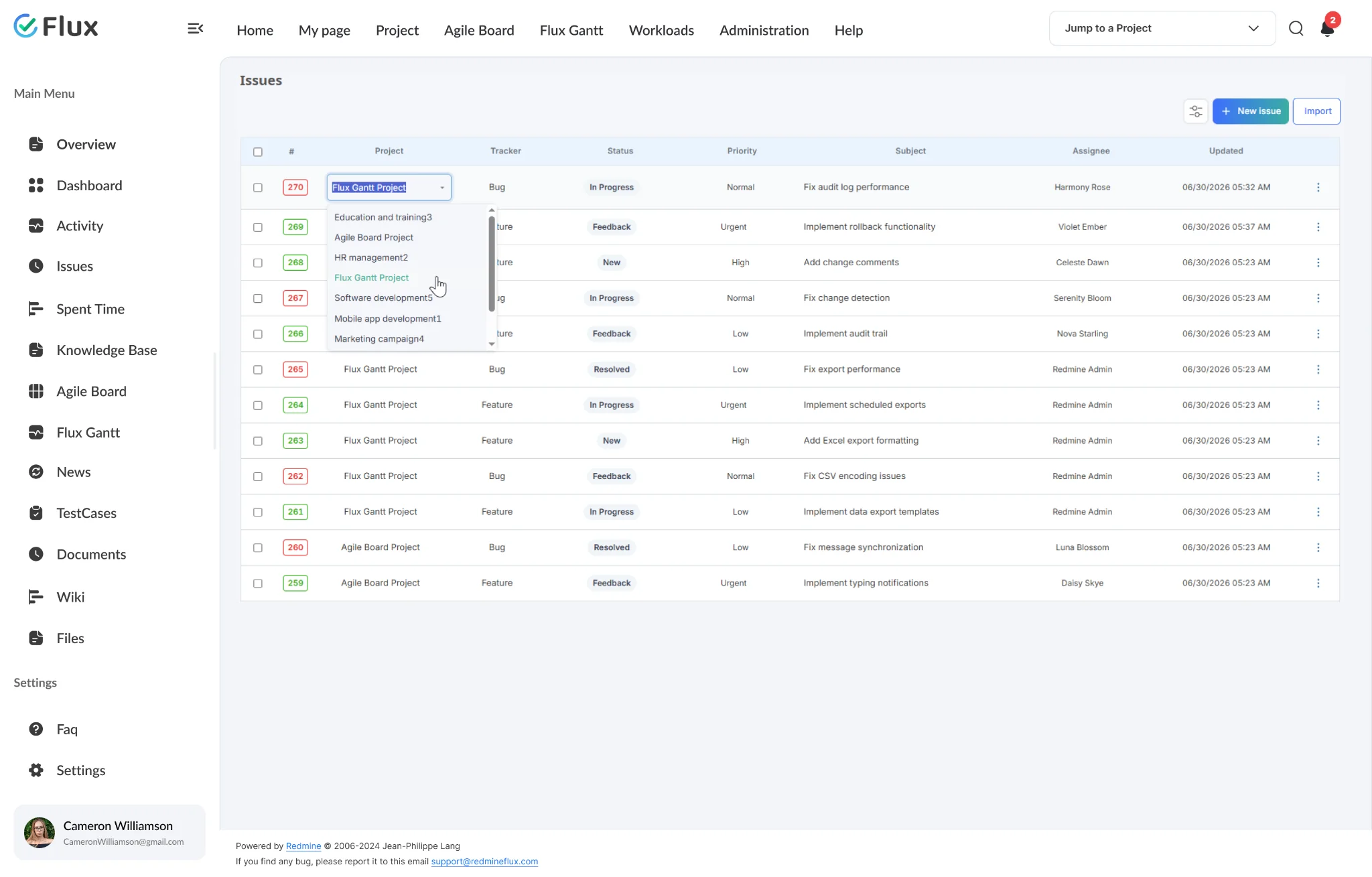
The Redmineflux Inline Editor Plugin adds click-to-edit capability to any Redmine issue field – directly from the issue list or the issue detail page. Status, priority, assignee, due date, estimated time, and custom fields are all editable inline without navigating to the full edit form. Changes save immediately without a page reload.
Triage and review without opening each issue.
Change status, assignee, and priority directly in the list view without a navigation step. A ten-issue triage session takes a fraction of the time it takes when every change requires a full-page load.
Sprint planning from the backlog view, start to finish.
Re-estimate and reassign issues directly from the backlog without navigating into each issue individually. Sprint preparation becomes a focused planning session rather than an administrative cycle.
Hover any row to reveal the inline edit control.
Move the cursor over any issue row in the list and a pencil icon appears. Click it to activate inline editing for that row — the change happens in place, with no page reload required.