Redmine Scarlet Theme – A professional dark interface for teams who work in Redmine all day.
For Redmine teams who work all day in dark mode. Included with any Bundle; $99 standalone.
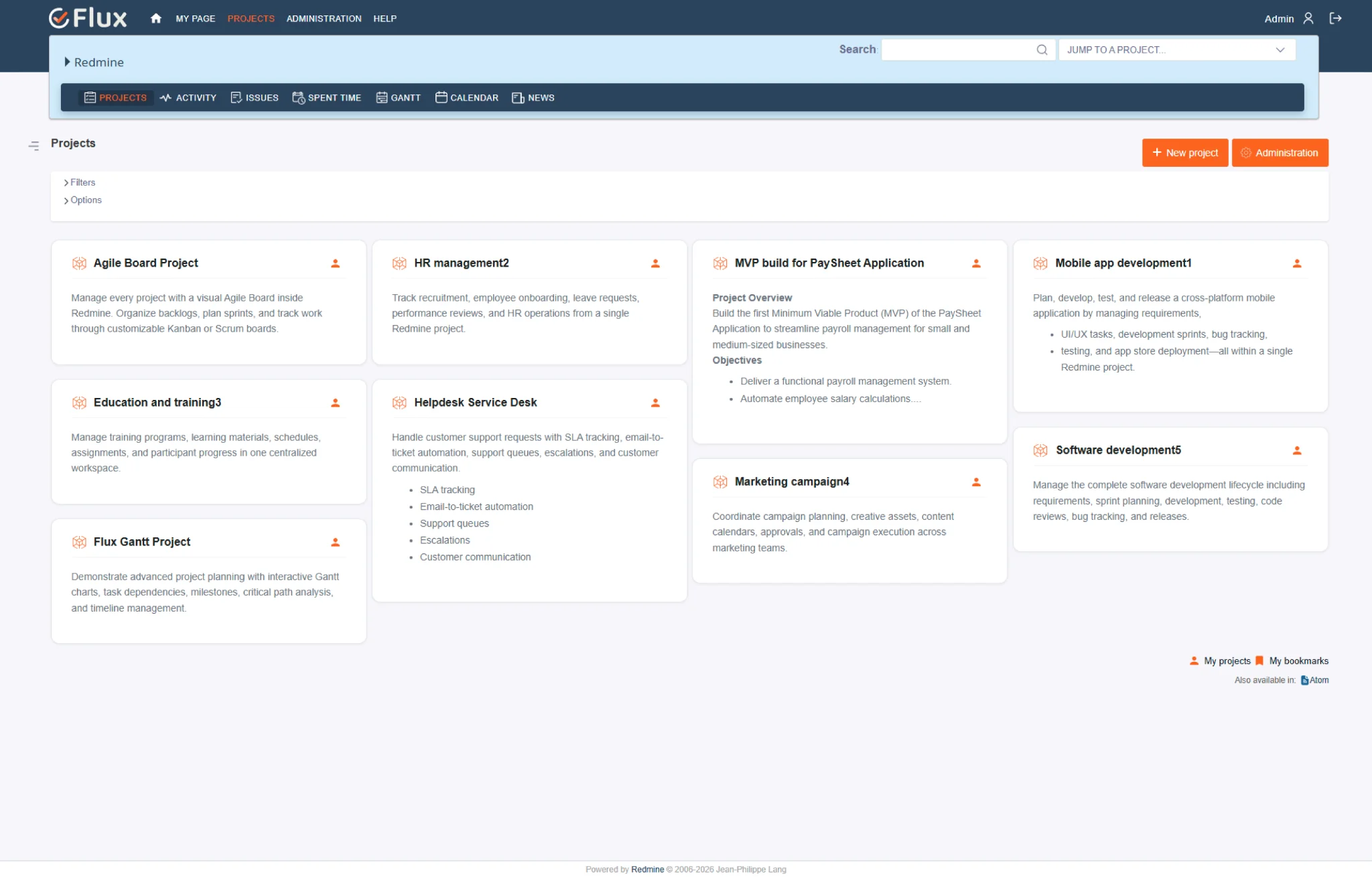
Scarlet across the workspace.
Pick a view to see what Scarlet changes. They play on their own – hover to pause.
Issue list – scan without strain
Coloured status badges pop against a deep navy backdrop. Priority, tracker, and overdue items surface during triage without anyone squinting at a bright white list – Scarlet was built for teams who look at Redmine for five-plus hours a day.
Issue detail – less noise, more signal
Refined heading scale separates title, metadata, description, and comment thread. Monospace code blocks are visually distinct in the dark palette – terminal output and configuration snippets in issue bodies read like they do in your IDE.
Sidebar + dashboard – navigation you don't have to read
The redesigned sidebar uses visual grouping and active-state indicators instead of a flat menu. Dashboard, Agile Board, Gantt, and Timesheet views keep the same dark palette – no jarring white-flash moments when interacting with plugin panels or dropdowns.
Three themes. Pick by how your team works.
| Theme | Best for | Included with | Link |
|---|---|---|---|
| DaisyLight | Teams of 10–300 who want a clean, light, minimal interface – popular with agile teams. | Included with any Bundle | See Daisy → |
| ScarletDark | Teams who work in Redmine five-plus hours a day and want a dark, low-glare interface. | Included with any Bundle | This page |
| LotusConfigurable | Large installs that need visual structure: collapsible sidebar, colour-coded trackers, rich project cards. | Included with All Plugins Bundle | See Lotus → |
All three work on every Redmine version, with every Redmineflux plugin, and are pre-installed on Redmineflux Cloud. Users can pick their own theme where Redmine allows it.
Three ways to get Scarlet.
Scarlet – self-hosted
Drop Scarlet into any self-hosted Redmine instance. Copy to the public/themes directory and switch from the admin panel — no plugin dependency.
- 1 year of updates included
- Renew at 30% per year
- No plugin dependency
Included with any Bundle
Scarlet ships inside the bundle – no separate theme licence. Bundles save 5–10% on the plugins too.
See Bundle pricing →Redmineflux Cloud
- All three themes pre-installed
- Every plugin included – never per user
- Hosted, backed up and updated by us
Questions teams ask before switching to Scarlet.
Works on all Redmine versions · WCAG 2.1 AA contrast · install: copy to public/themes and switch from the admin panel.
Does the Scarlet Theme affect Redmine's functionality?+
No. The Scarlet Theme only changes Redmine's visual presentation. All functionality, workflows, custom fields, permissions, and plugin integrations continue to work exactly as before. Theme changes are purely cosmetic – they do not modify any Redmine data or configuration.
Will Scarlet work alongside Redmineflux plugins?+
Yes. Scarlet is designed and tested to work alongside every Redmineflux plugin – Dashboard, Agile Board, Timesheet, and the rest. Plugin-added views, panels, and UI elements are styled consistently with the theme. No visual conflicts occur when plugins are installed alongside Scarlet.
Can I run Scarlet alongside the Daisy Theme – letting users choose?+
Yes. Both themes can be installed on the same Redmine instance. In supported configurations, each user can select their preferred theme from their account settings. The Daisy Theme (light and dark) and Scarlet Theme (light) can run side-by-side for teams that want individual choice.
Which Redmine versions is the Scarlet Theme compatible with?+
The Redmineflux Scarlet Theme is tested and maintained against all Redmine versions. Compatibility is verified with each theme update.
Can I white-label Scarlet with my own brand colours?+
Scarlet ships with a fixed palette tuned for WCAG 2.1 AA contrast on dark backgrounds. White-label theme commissioning is a separate offering – not part of the standard theme catalogue. Contact us if you need a branded variant.
Does Scarlet work with SSO / LDAP authentication?+
Yes. Scarlet only changes the visual layer – it doesn't touch authentication, permissions, or user management. SSO, LDAP, SAML, and every other Redmine auth method continue to work exactly as configured.
Scarlet on your Redmine, in minutes.
$99 one-time · included with any bundle · pre-installed on Cloud.