Redmine Timesheet – the Redmine time-tracking plugin for billable teams.
Log time against real tasks, run multi-level approvals, and produce structured reports – all inside your existing Redmine.
Billing depends on what someone remembered to log.
Time gets logged at the end of the week – or not at all. Spreadsheets carry the billing numbers, but they never quite match what Redmine says. Approvals happen by email, with no audit trail. Before every billing cycle or compliance review, someone spends two days reconstructing data that should have been captured at the moment work happened.
Time data that holds up.
The Timesheet Plugin puts a governance layer over every hour logged in Redmine. Each time entry ties to a real task, every approval stage is traceable, and the complete record is available on demand – not assembled from memory or spreadsheets before an audit.
Teams that moved off spreadsheets consolidated reconciliation overhead, improved billing accuracy, and gained the audit trail their compliance teams had always needed. The data lives where the work lives – inside Redmine.
What is the Redmineflux Timesheet Plugin?
The Timesheet Plugin is a structured time logging and approval solution built natively inside Redmine. It captures every hour against a real task, routes entries through configurable approval workflows, and produces filterable reports for billing, payroll, or compliance – without requiring a separate tool or data export.
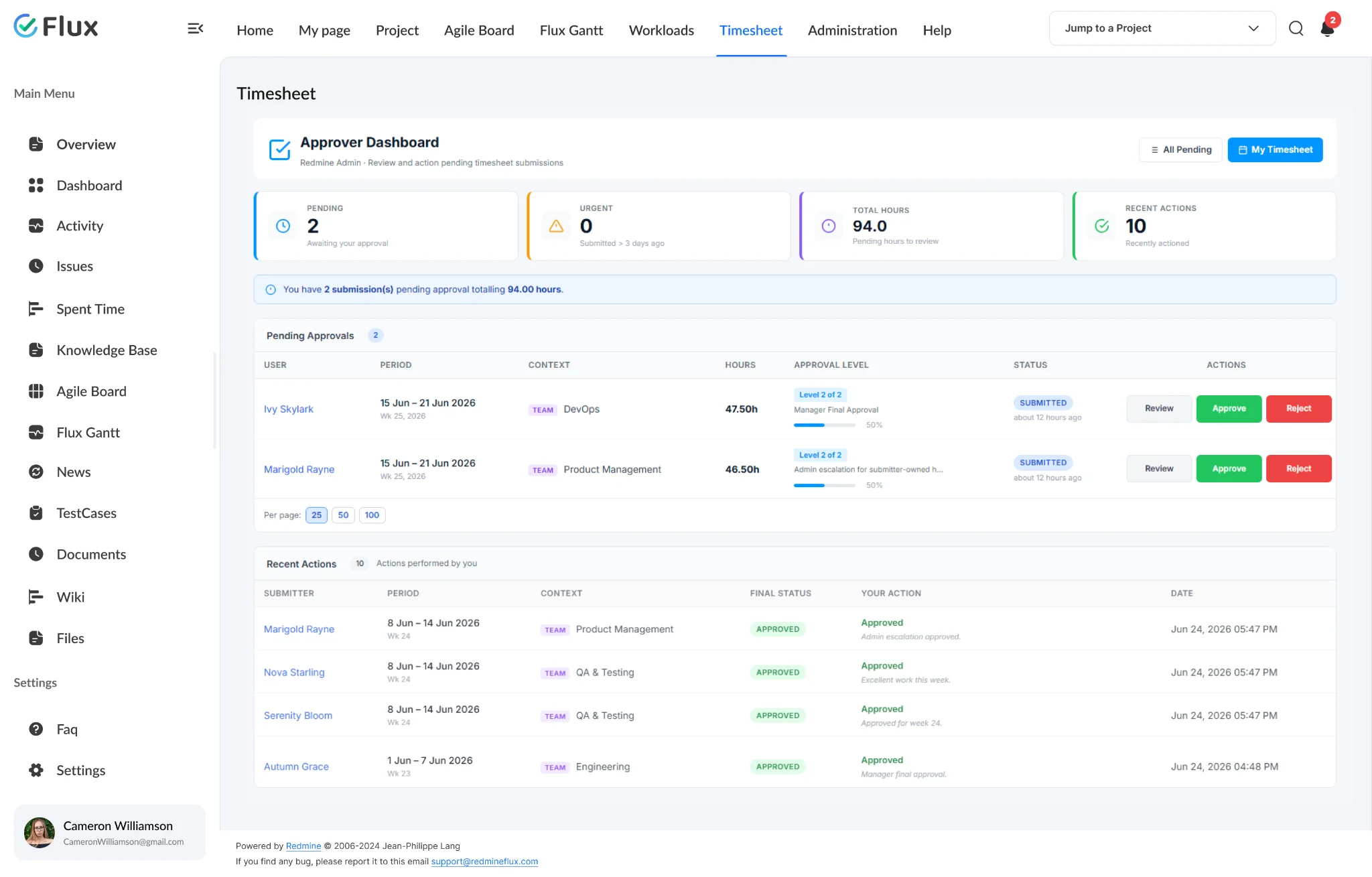
Billable hours you can defend, not guess.
Pick a shift to see what changes in the product. They play on their own – hover to pause.
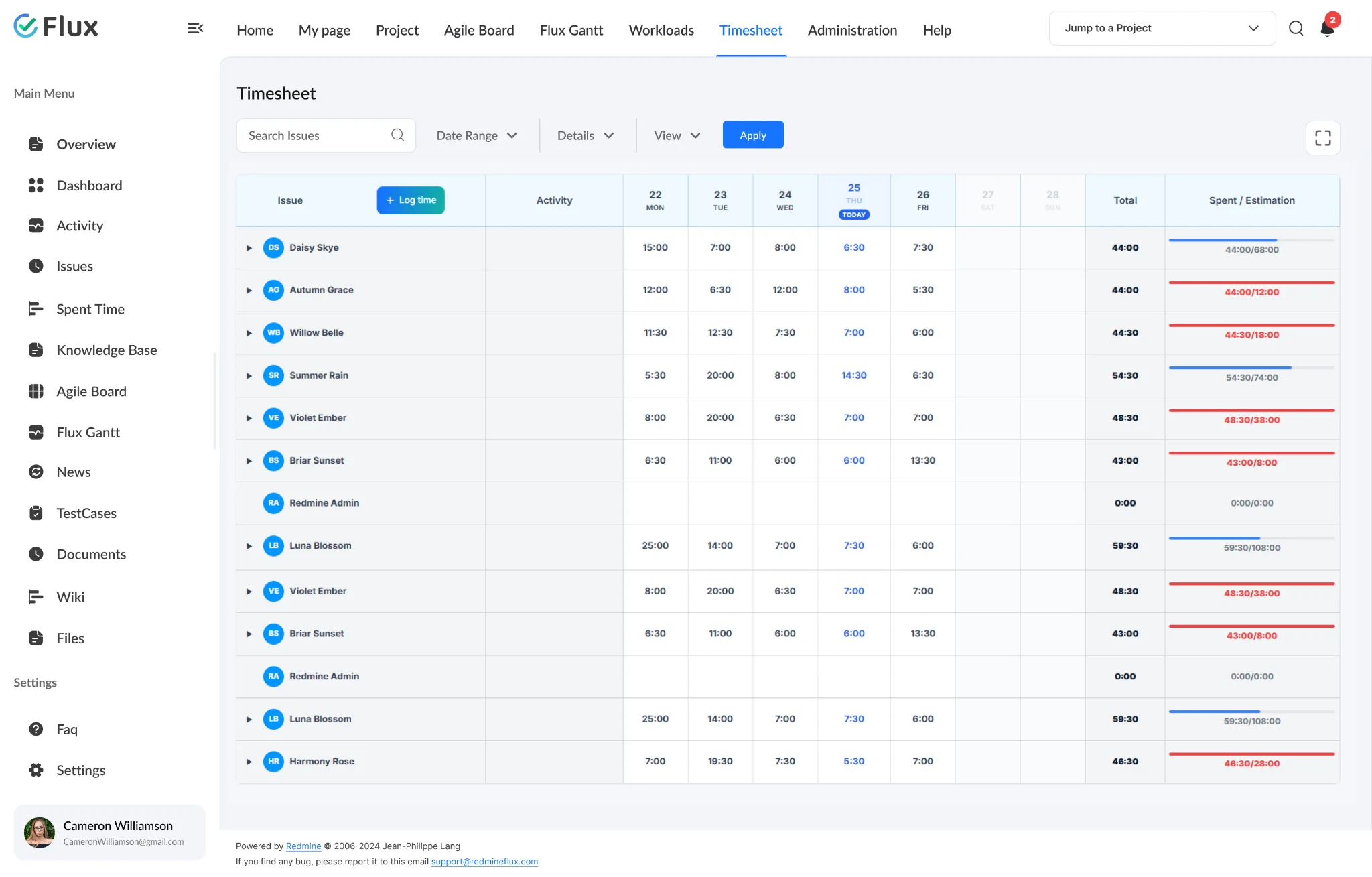
Billable accuracy without reconstruction.
Every hour is captured directly against the task it belongs to, which eliminates the end-of-week reconstruction that spreadsheet-based teams rely on. Billing reports reflect what actually happened, not what someone remembered a week later.
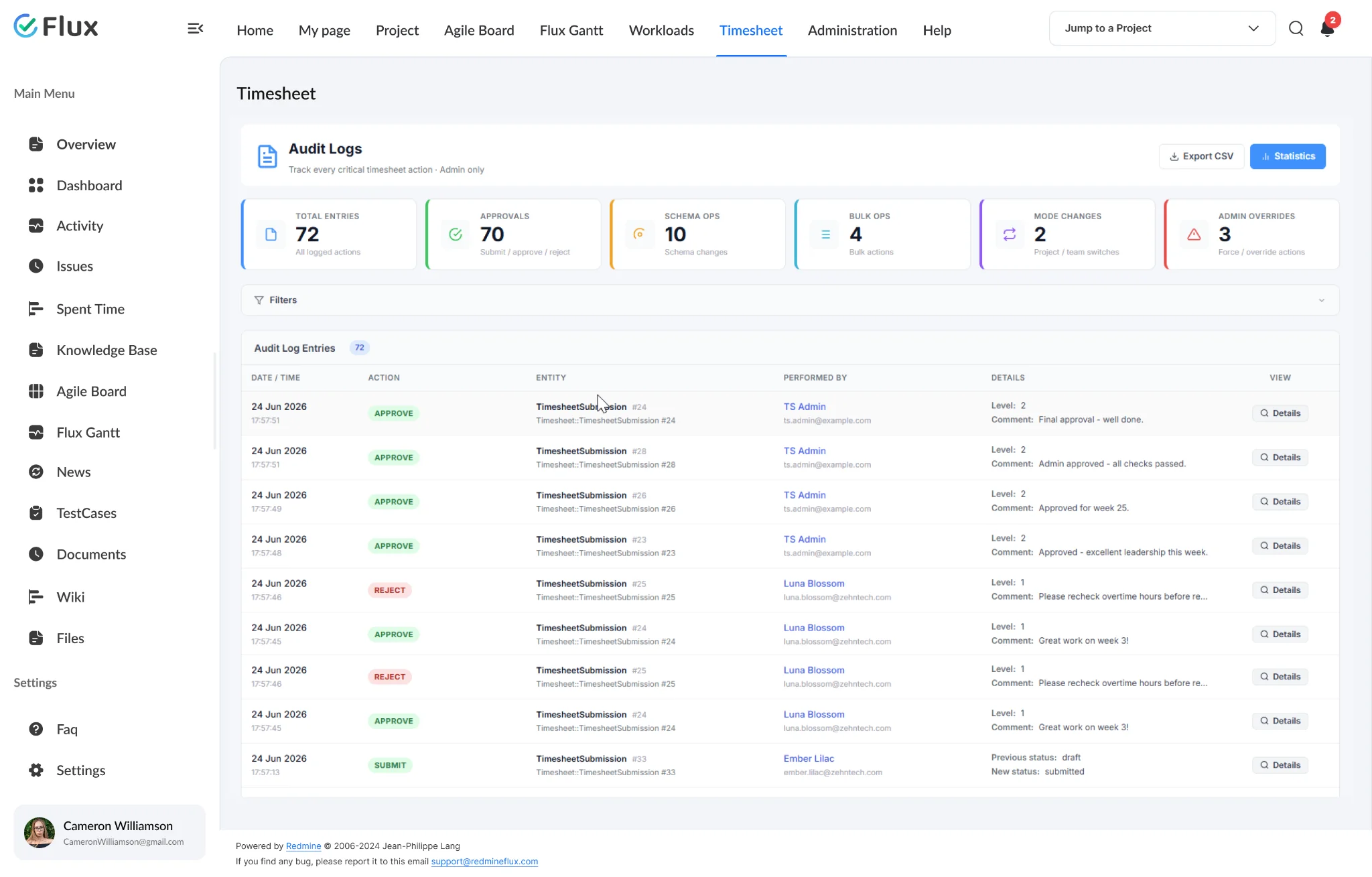
Real-time visibility into effort and capacity.
Project managers see how time distributes across projects and team members without waiting on manual updates. Resource decisions use current data rather than weekly estimates – improving capacity planning and sprint forecasting.
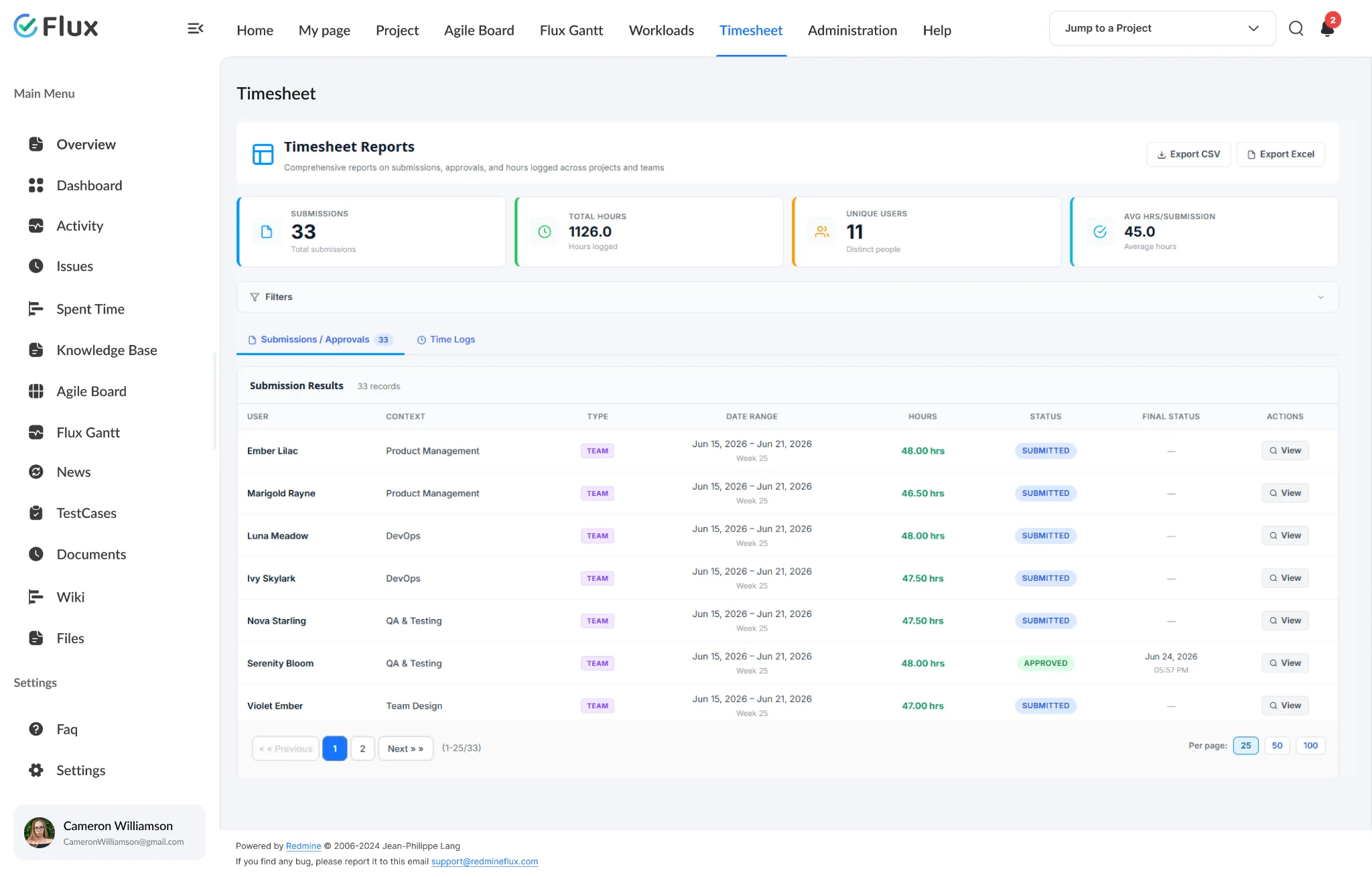
Audit-ready reports, produced on demand.
Filter by project, user, date range, or activity type and export to CSV in one click. Group by any dimension to produce the view your billing, payroll, or compliance team needs. No preparation required before a review.
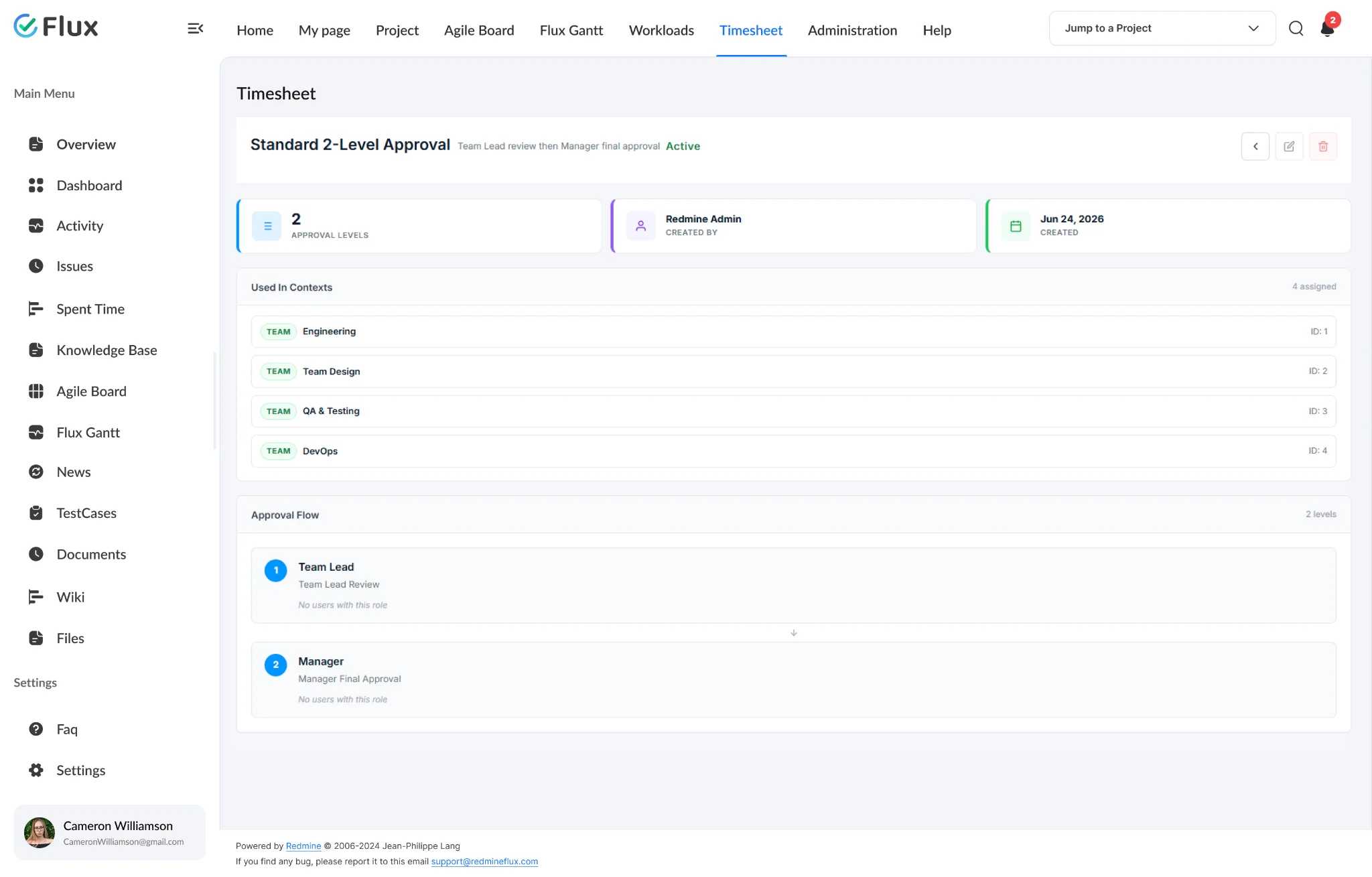
Lower overhead for every approval stage.
Approval workflows route automatically through configured role assignments. Managers review and approve without chasing team members for submissions, and every action logs with a timestamp – the approval chain runs without email.
Delivery decisions backed by verified data.
Timeline estimates and budget reviews become more reliable when the underlying effort data is complete, approved, and structured – not estimated or reconstructed after the fact. Exec review means opening a report, not rebuilding one.
The specifics, for people who want them.
Capture every hour at the task level.
- Log time directly inside Redmine issues as work happens
- Update or remove entries – double-click any task row to edit date, activity, hours, or comment
- Every entry tied to the task that generated the effort
- Past-date logging controls – configure how far back entries are allowed
See the full picture across users and projects.
- Weekly and monthly dashboards for all users
- Individual submission status at a glance
- Identify missing entries before the approval window closes
- Audit log records every approval and rejection action with timestamp
Enforce structure at every stage.
- One or more approval levels per schema, configurable by role
- Role-based permission control at each stage
- Every action logged with timestamp + approver identity
- Rejection handling and re-submission flow
Reports billing and compliance teams can use.
- Filter by project, user, activity type, or date range
- Group by project, user, or activity for targeted analysis
- Export to CSV
- Single-user to organisation-wide scope
Monitor, report, and enforce policy from one place.
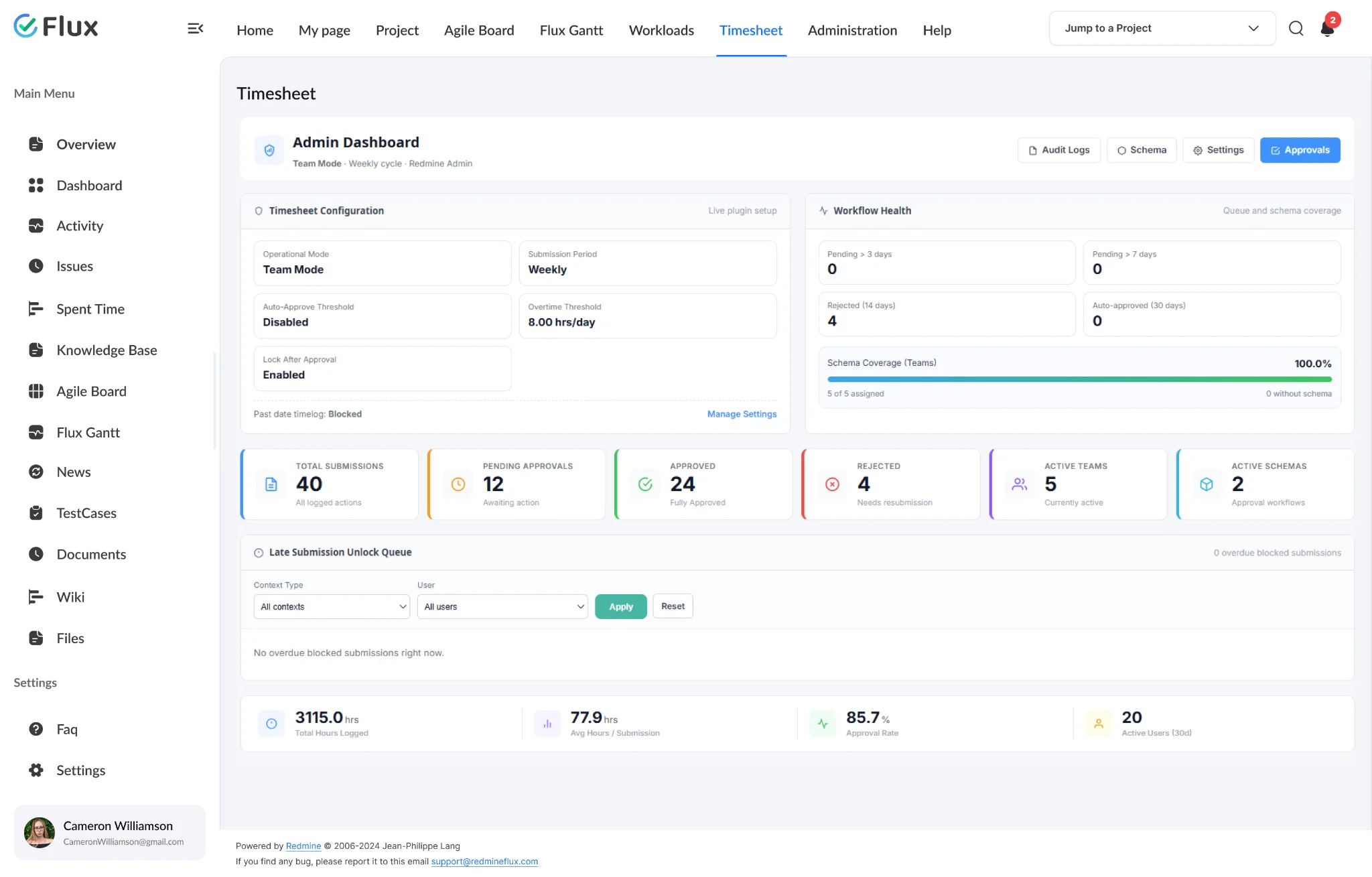
- Admin dashboard with workflow health, summary metrics, and quick access
- Two report types: Submission/Approval and Timelogs filter and group by any dimension
- Export reports to CSV for payroll, billing, or compliance handoffs
- Late submission unlock queue and overtime threshold configurable per instance
What Timesheet changes for each role.
CTO / IT Director
Governance, compliance readiness, and financial clarity across every project – without a separate time-tracking tool adding infrastructure overhead.
Project Manager
Accurate timesheet visibility and reliable billing data without waiting on manual spreadsheet reconciliation or chasing team members for submissions.
Engineering Lead
Structured worklog tracking and controlled approval workflows per team – without the back-and-forth that makes approval cycles slow for everyone involved.
Delivery Head
Verified time data that connects directly to timeline estimates and budget reviews – no reconstruction required before executive reporting cycles.
Timesheet gets better with these.
Three ways to get Timesheet.
Timesheet – self-hosted
- 1 year of support included
- Renew support at 30% per year
- No licence keys · unlimited users · full source
Project Management bundle
Timesheet plus the plugins it works best with, at a published discount. Themes included.
See the bundle →Redmineflux Cloud
- Timesheet and every other plugin included
- Fixed price per team size – never per user
- Hosted, backed up and updated by us
Questions teams ask before adopting Timesheet.
If yours isn’t here, check the pricing page or write to support@redmineflux.com.
How do I track time in Redmine using the Timesheet Plugin?+
Log time directly on any Redmine issue using the native time entry form. The Timesheet Plugin captures those entries, displays them in weekly and monthly views, and routes them through your configured approval workflow. No separate tool is required – redmine time tracking happens inside the same environment where work is managed.
Is the Redmine Timesheet Plugin compatible with all Redmine versions?+
The Redmineflux Timesheet Plugin is tested and maintained against all Redmine versions. Compatibility is verified with each plugin update.
What report types does the Timesheet plugin provide?+
Two report types are available: Submission/Approval Report and Timelogs Report. Both support filtering by project, user, activity, and date range, and can be grouped by any dimension using the Group By option. Reports export to CSV for payroll, billing, or compliance handoffs.
Can approval workflows be configured differently per project?+
Yes. Approval schemas are configurable at the project level. You can define one or more approval levels with role-based permissions at each stage. Different projects within the same Redmine instance can run entirely different Redmine timesheet approval configurations, which allows teams to enforce the governance structure appropriate to each project's requirements.
How much does the Timesheet Plugin cost?+
Timesheet is $499 one-time for self-hosted Redmine – 1 year of support included, then support renews at 30% of the plugin price per year. It is also part of the Project Management bundle (save 7%). Or get every plugin hosted on Redmineflux Cloud from $69/month for up to 25 users – a fixed price, never per user.
Is there a free demo available?+
Yes – request a free demo and we’ll send a personalised demo link straight to your inbox. No credit card required, no commitment. Explore the real product at full capacity, at your own pace.
Every Redmineflux plugin
Timesheet running inside your Redmine.
$499 one-time on self-hosted Redmine – or every plugin on Cloud from $69/month.